Nu - Server Connection Manager for SSH, SSHFS & Remote Pipelines
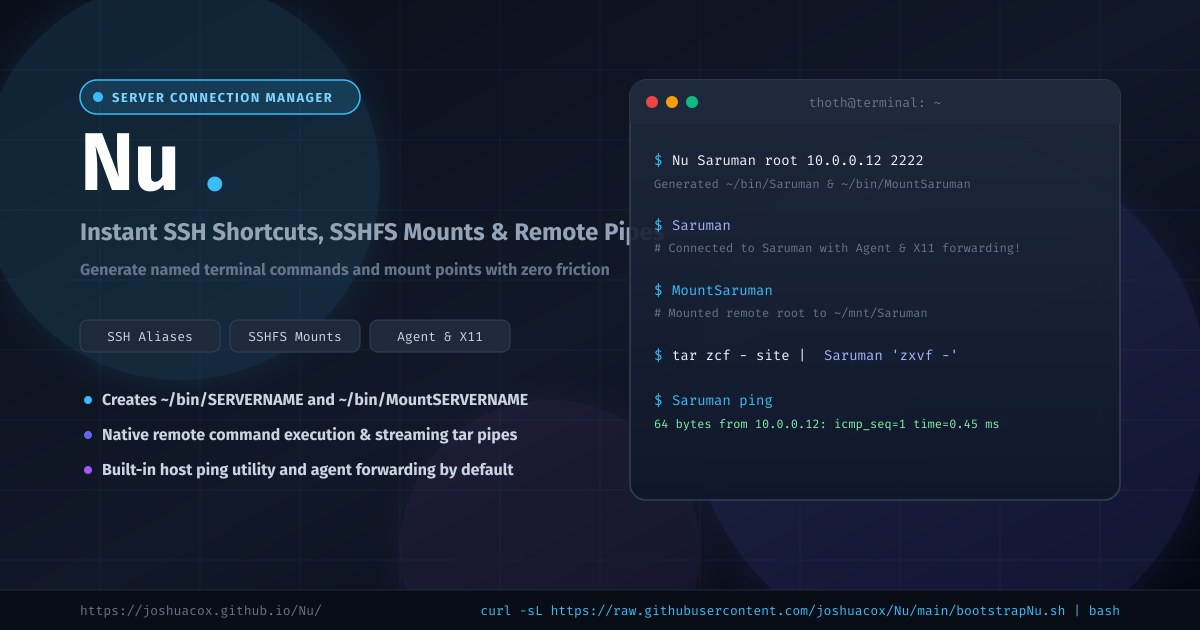
Managing dozens of remote cloud servers, homelab machines, and client VMs often leads to unwieldy ~/.ssh/config files, forgotten port numbers, and repetitive manual mounting steps with SSHFS. Even worse, running one-off remote commands or piping tar archives across systems can feel clunky when juggling usernames and hostnames.
Nu is a fast, lightweight shell utility that streamlines server management by generating standalone, executable shortcuts in your ~/bin/ directory for direct SSH access, SSHFS mounting, and streaming UNIX pipelines.
What is Nu?
Nu takes four simple arguments—a memorable server name, username, IP/hostname, and SSH port—and provisions dedicated executable command wrappers:
~/bin/SERVERNAME: An interactive shell launcher and remote execution wrapper configured with SSH Agent forwarding (-A) and X11 forwarding (-X).~/bin/MountSERVERNAME: An instant SSHFS mount script that mounts the remote root directory to~/mnt/SERVERNAME.
Once defined, connecting to your server or mounting its filesystem is as easy as typing its name into your shell.
Check out the documentation and interactive playground at joshuacox.github.io/Nu or visit the GitHub repository.
Core Capabilities
- First-Class Executable Aliases: Instead of relying on complex shell aliases or searching command history,
Nucreates clean, portable scripts in~/bin/. - Seamless SSHFS Mount Points: Prepares dedicated mount targets in
~/mnt/SERVERNAMEand generates one-click mounting scripts. - SSH Agent & X11 Forwarding Built-In: Automatically configures
-Aand-Xflags so keys and graphical utilities propagate smoothly without credential leakage. - Remote Pipeline Streaming: Easily pipe file archives, logs, or databases across machines using standard UNIX streams (
tar,gzip,cat). - Built-in Host Ping Helper: Check remote connectivity immediately using
SERVERNAME ping. - Zero Heavy Dependencies: Written purely in Bash; works on virtually any Linux or macOS workstation with
opensshandsshfs.
Installation
One-Line Bootstrap
Install immediately into your environment:
curl -sL https://raw.githubusercontent.com/joshuacox/Nu/main/bootstrapNu.sh | bash
From Source (Autotools / Make)
git clone https://github.com/joshuacox/Nu.git
cd Nu
aclocal && autoconf && automake --add-missing
./configure
sudo make install
Make sure ~/bin is included in your system $PATH:
export PATH="$HOME/bin:$PATH"
How to Use Nu
1. Register a Server
Provision wrappers for a remote machine with a single command:
Nu Saruman root 10.0.0.12 2222
This immediately registers:
~/bin/Saruman~/bin/MountSaruman- Mount target
~/mnt/Saruman
2. Instant SSH Access
Log in to your remote host with agent and X11 forwarding:
Saruman
3. Mount the Filesystem Locally
Browse and edit remote files in your local text editor or GUI file manager:
MountSaruman
ls ~/mnt/Saruman/var/log
4. Run Remote Commands & Capture Output
Execute commands on the remote server and write the output locally:
Saruman 'uname -a; uptime' > server_health.txt
5. Stream Archives Over Pipes
Push a local directory to the remote host using tar:
tar zcf - ./myproject | Saruman 'tar zxvf - -C /opt/'
Or stream a remote directory directly back to your local workstation:
Saruman 'tar zcf - /var/backups' | tar zxvf -
6. Ping the Host
Quickly verify network reachability:
Saruman ping
Links & Documentation
- Project Website: https://joshuacox.github.io/Nu/
- GitHub Repository: https://github.com/joshuacox/Nu
- Issue Tracker: https://github.com/joshuacox/Nu/issues