roustabout - Streamlined Docker Operations & Container Wrangling
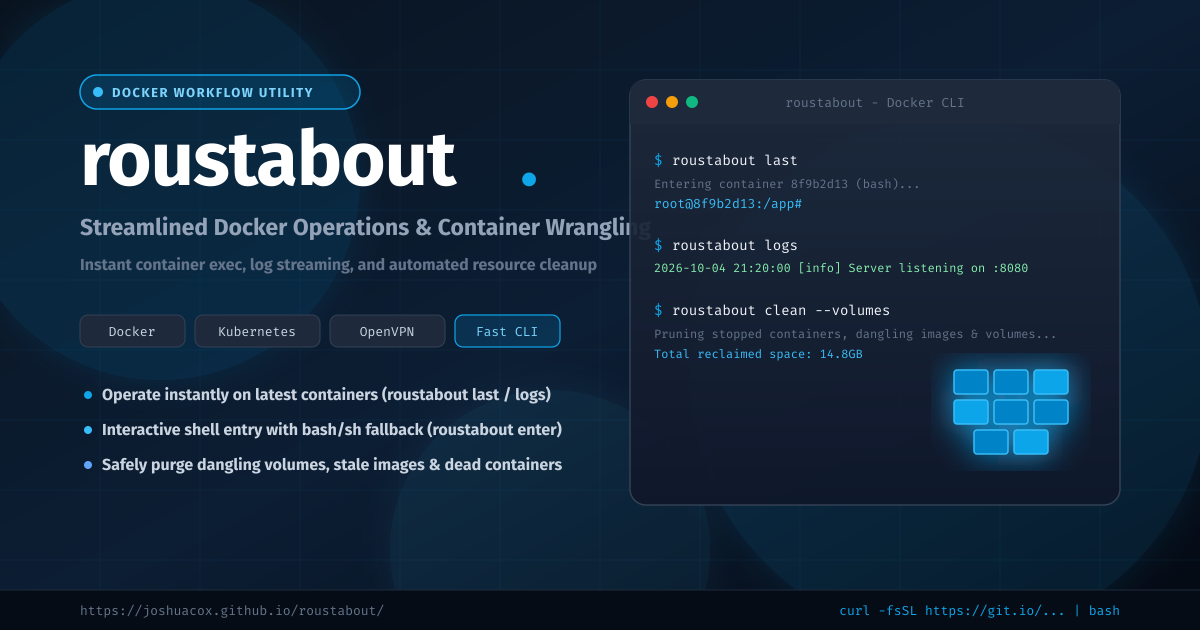
Working with Docker daily usually involves typing the same long, verbose commands over and over: docker ps -ql to grab the container you just spawned, docker exec -it <id> /bin/bash (and hoping /bin/bash exists rather than /bin/sh), docker logs -f <id>, and running manual pruning commands to clear out gigabytes of orphaned volumes and dangling images.
roustabout is a focused Docker workflow toolkit that eliminates this repetitive friction. It provides a unified CLI dispatcher alongside intuitive shell shortcuts for interacting with recent containers, launching interactive shells, tailing logs, and pruning disk space safely.
What is roustabout?
Named after the oil rig and circus hands who handle the heavy lifting, roustabout simplifies everyday container tasks into snappy, memorable commands:
- Operate on the Last Container: Automatically target the most recently created or spawned container without having to copy-paste container hashes from
docker ps. - Intelligent Shell Entry: Enters containers using
/bin/bash, automatically falling back to/bin/shif Bash is not installed in the image (such as in Alpine-based containers). - Disk Space Cleanup: Clean dead containers, dangling build caches, orphaned volumes, and stale images with simple, targeted flags.
- Unified CLI + Classic Aliases: Run everything through the modern
roustabout <command>dispatcher or use the classic standalone commands (LastDocker,EnterDocker,CleanDocker,KillDocker,KRMdocker).
Check out the interactive documentation at joshuacox.github.io/roustabout or visit the GitHub repository.
Key Commands & Capabilities
1. Instant Operations on Last Container
When testing or building Dockerfiles, you almost always want to inspect the container that just started:
roustabout last(orLastDocker): Drops you directly into an interactive shell inside the last container.roustabout logs(orLogDockerLast): Streams the logs of the last spawned container (docker logs -f).
2. Container Execution & Teardown
roustabout enter [id](orEnterDocker <id>): Open a shell in any running container with automatic shell detection (/bin/bash->/bin/sh).roustabout kill [--all | id...](orKillDocker): Kill one or more containers, or wipe all running containers with--all.roustabout krm <id...>(orKRMdocker): Kill and remove containers in a single operation.
3. Deep Resource Pruning
Docker hosts accumulate disk bloat rapidly. roustabout simplifies selective pruning:
roustabout clean(orCleanDocker): Prunes stopped containers and dangling images.roustabout clean --volumes(orCleanOrphanedVolumes): Removes dangling volumes that are no longer referenced.roustabout clean --stale(orStaleDocker): Prunes unused images older than 24 hours while preserving active caches.
4. OpenVPN Credential Generation
Integrated with kylemanna/docker-openvpn, you can instantly generate client certificates:
roustabout openvpn-creds CLIENTNAME
# Or: createOpenVPNdockercreds CLIENTNAME
Installation
One-Line Quick Install
Install directly to your machine:
curl -fsSL https://raw.githubusercontent.com/joshuacox/roustabout/master/bootstraproustabout.sh | bash
From Source (Make)
git clone https://github.com/joshuacox/roustabout.git
cd roustabout
sudo make install
(By default installs to /usr/local/bin. Override with make install PREFIX=$HOME/.local for non-root installs).
Automated Distribution Installers
The repository also includes end-to-end bootstrap scripts for setting up entire Docker or Kubernetes environments:
- Ubuntu Docker Install:
curl -fsSL https://raw.githubusercontent.com/joshuacox/roustabout/master/UbuntuDockerInstall | bash - Red Hat Docker Install:
curl -fsSL https://raw.githubusercontent.com/joshuacox/roustabout/master/RedhatDockerInstall | bash - Kubeadm Install:
curl -fsSL https://raw.githubusercontent.com/joshuacox/roustabout/master/KubadmNstall | bash
Everyday Workflow Examples
Debug a Failing Container
Run a container in the background, then immediately drop inside or watch output:
docker run -d my-node-app:latest
roustabout logs
roustabout last
Reclaim Disk Space After Builds
roustabout clean --volumes
Kill & Remove a Stalled Container
roustabout krm web-worker
Links & Documentation
- Documentation Site: https://joshuacox.github.io/roustabout/
- GitHub Repository: https://github.com/joshuacox/roustabout
- Issue Tracker: https://github.com/joshuacox/roustabout/issues