SSShutdown - Safe Power Management, Update Automation & CPU Control
If you regularly manage remote Linux servers and switch between local and cloud terminals, you know the dread: typing reboot or poweroff into a shell, only to realize a split-second too late that you were in an SSH window rather than your local laptop.
Beyond avoiding remote accidents, standard power workflows often leave lingering maintenance tasks: forgetting to apply critical security patches before shutting down, failing to refresh mirrorlists, or manually adjusting CPU governors when moving from power outlets to battery.
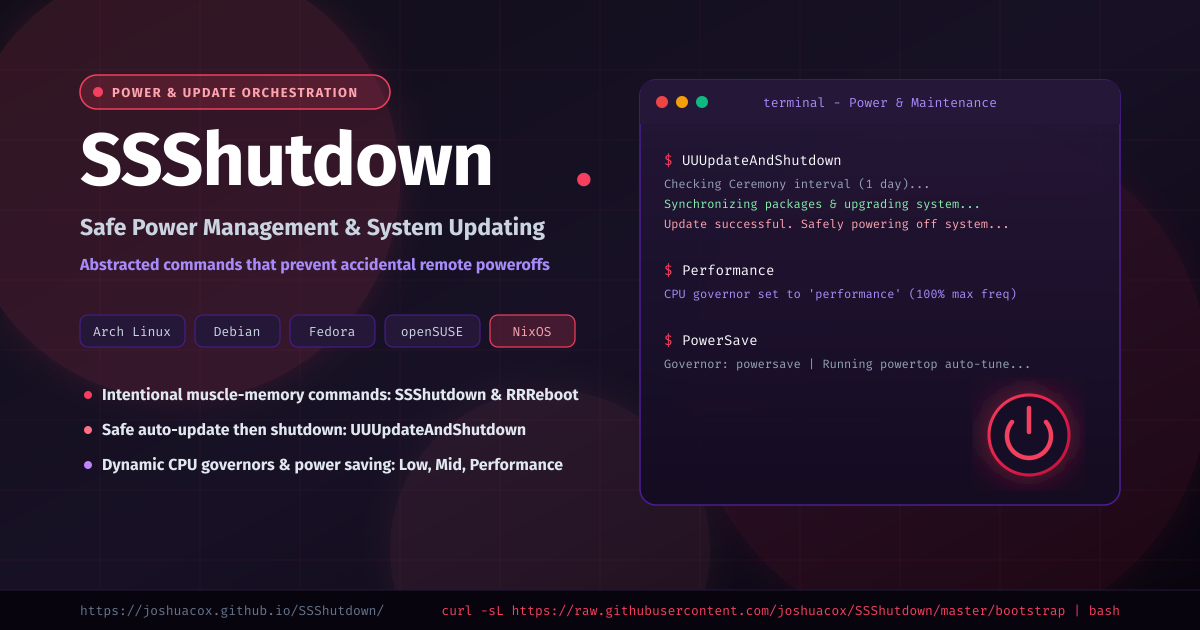
SSShutdown solves both problems through intentional muscle-memory commands, automated update routines ("Ceremony"), and hardware power-saving profiles.
What is SSShutdown?
SSShutdown is a suite of abstracted system control scripts designed to replace bare poweroff and reboot invocations on your personal workstations. By retraining your fingers to type doubled/tripled character commands like SSShutdown and RRReboot, your hands will never accidentally power down a remote production server where those aliases don't exist.
Furthermore, SSShutdown bundles update automation across all major package managers (pacman, apt, dnf, zypper, and nix) with pre/post hooks and on-the-fly CPU scaling.
Explore the project documentation at joshuacox.github.io/SSShutdown or visit the GitHub repository.
Key Capabilities
1. Deliberate Power Commands
SSShutdown: Cleanly powers down the local system.RRReboot: Reboots the machine.sssuspend: Triggers system suspend (systemctl suspend).hhhibernate: Hibernates to swap (systemctl hibernate).hybrid: Enters hybrid sleep (systemctl hybrid-sleep).
2. Safe Update Automation ("Ceremony")
Rather than rebooting or shutting down with outdated packages, SSShutdown introduces intelligent update orchestration:
UUUpdateAndShutdown: Checks whether your configured update interval has elapsed (default: 1 day). If due, it upgrades the system and only powers off if the package manager succeeds.FFForceUpdateAndShutdown: Bypasses the timestamp check, updates all system packages, and turns off upon success.MorningUpdate: Clears the timestamp marker and runs the update routine immediately.UpdateOnly: Runs the update step without triggering a shutdown or reboot.mmmirrorUpdater: Automatically refreshes and ranks package mirrors (usingreflectoron Arch).ArchLinuxCleanRing: Quickly repairs and re-initializes corrupted pacman GPG keyrings.
3. CPU Governors & Battery Tuning
Scale processor clock speeds and battery consumption with single-word commands:
Performance: Scales CPU cores to max frequency under theperformancegovernor.Mid: Throttles CPU to ~50% max frequency underpowersave.Low: Scales CPU to ~25% max frequency underpowersavefor cool and silent operation.PowerSave: Drops CPU to minimum frequency and invokespowertop --auto-tuneto maximize battery life on the go.
Supported Linux Distributions
SSShutdown auto-detects your distribution's native package manager:
- Arch Linux / Omarchy / Manjaro / EndeavourOS (
pacman/powerpill/reflector) - Debian / Ubuntu / Linux Mint (
apt-get) - Fedora / RHEL / CentOS (
dnf) - openSUSE / Tumbleweed / Leap (
zypper) - NixOS (
nx)
Installation
Automated Bootstrap
Install via the one-line installer:
curl -sL https://raw.githubusercontent.com/joshuacox/SSShutdown/master/bootstrap | bash
Via Makefile
git clone https://github.com/joshuacox/SSShutdown.git
cd SSShutdown
sudo make install
To install customizable pre- and post-update hook templates (/etc/ssshutdown/hooks/in and /etc/ssshutdown/hooks/out):
sudo make hooks
Nix Flake
Run directly or install with Nix:
nix profile install github:joshuacox/SSShutdown
Workflow Examples
End of Day Shutdown
Instead of shutting down immediately, ensure all system security updates are applied before power cut:
UUUpdateAndShutdown
(If the update encounters a network failure or package conflict, the machine stays on so you can inspect it rather than shutting down in an unbootable state).
Laptop Battery Mode
When unplugging from a workstation dock to travel:
PowerSave
Heavy Compilation or Gaming
When starting a big build or launch:
Performance
Links & Resources
- Website: https://joshuacox.github.io/SSShutdown/
- GitHub Repository: https://github.com/joshuacox/SSShutdown
- Issues & Contributions: https://github.com/joshuacox/SSShutdown/issues