touchy - Intelligent Touchpad Disable-While-Typing for Hyprland
Anyone who writes code, drafts articles, or lives in the terminal on a modern laptop with a spacious trackpad knows the frustration: you’re midway through typing an important command or block of text, your palm brushes the touch surface, and suddenly the cursor jumps three paragraphs up or loses window focus completely.
While standard libinput includes basic disable-while-typing (DWT) heuristics, they frequently fail on modern high-polling touchpads or behave inconsistently under Wayland compositors like Hyprland.
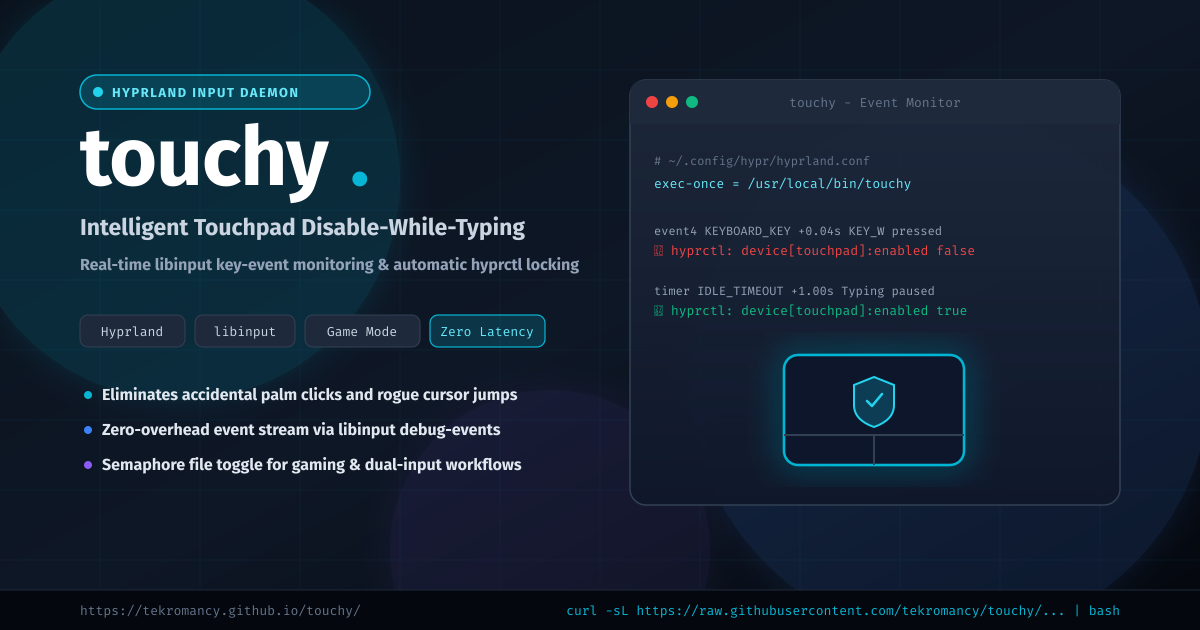
touchy is a dedicated input monitor daemon designed specifically for Hyprland. It watches real-time keyboard event streams via libinput debug-events and dynamically toggles touchpad hardware state via hyprctl, completely eliminating palm strike accidents.
How touchy Works
touchy operates on a clean, responsive event-driven model:
- Kernel Input Monitoring: Pipes standard
libinput debug-events, watching strictly for key-press events (KEYBOARD_.*pressed). - Instant Hardware Lockout: The millisecond a keystroke is detected,
touchycallshyprctl keyword "device[$TOUCHPAD]:enabled" false. Your touchpad is instantly deadened while your hands are active over the keyboard. - Smart Debounced Timer: A lightweight background timer resets on every keystroke. Once typing pauses for the configured threshold (default: 1 second),
touchyre-enables the touchpad (hyprctl keyword "device[$TOUCHPAD]:enabled" true). - Game Mode Bypass: Need simultaneous keyboard and trackpad/mouse input while gaming or using creative apps?
touchyrespects a semaphore lockfile (/tmp/.game_mode_on) to bypass disable logic instantly.
Check out the interactive documentation at tekromancy.github.io/touchy or visit the GitHub repository.
Key Features
- Zero Palm False-Positives: Completely avoids accidental taps, multi-finger gestures, and cursor drift during active typing.
- Hyprland Native Integration: Uses
hyprctl keywordto disable and enable specific touchpad devices dynamically without touching systemd or reloading configs. - Configurable Re-Enable Delay: Tailor the return delay (
TOUCHY_DELAY:=1) to fit fast coding workflows or relaxed prose writing. - Game Mode Semaphore: Toggle tracking off instantly when launching games or simulations via
/tmp/.game_mode_on. - Desktop Notifications: Optional desktop alerts (
notify-send) when the trackpad locks or unlocks for debugging and feedback. - Singleton Protection: Automatically verifies process locks to prevent multiple daemon instances from running simultaneously.
Installation
Automated Bootstrap
Install directly into /usr/local/bin:
curl -sL https://raw.githubusercontent.com/tekromancy/touchy/refs/heads/master/bootstrap.sh | bash
Build / Install from Source
git clone https://github.com/tekromancy/touchy.git
cd touchy
./build.sh
Configuration & Autostart
1. Identify Your Touchpad Device Name
Run hyprctl devices and locate your touchpad identifier (e.g., asuf1209:00-2808:0219-touchpad or synps/2-synaptics-touchpad).
2. Configure touchyrc
Place your preferences in ~/.config/touchy/touchyrc or ~/.touchyrc:
# Touchpad device name from hyprctl devices
TOUCHPAD="asuf1209:00-2808:0219-touchpad"

# Delay in seconds to wait after last keystroke before re-enabling
TOUCHY_DELAY=0.8

# Verbosity (0: silent, 1: status notifications)
TOUCHY_VERBOSITY=0
3. Autostart with Hyprland
Add touchy to your Hyprland autostart configuration (~/.config/hypr/hyprland.conf or autostart.conf):
# Enhanced touchpad disable-while-typing daemon
exec-once = /usr/local/bin/touchy
Game Mode Integration
If you play games requiring simultaneous W-A-S-D movement and touchpad aiming, you can toggle Game Mode using simple shell aliases or hotkeys:
# Enable Game Mode (Touchpad remains enabled while typing)
alias gamemode-on="touch /tmp/.game_mode_on"

# Disable Game Mode (Resume disable-while-typing protection)
alias gamemode-off="rm -f /tmp/.game_mode_on"
You can even bind this toggle to a keybinding inside hyprland.conf:
bind = $mainMod, G, exec, [ -f /tmp/.game_mode_on ] && rm /tmp/.game_mode_on || touch /tmp/.game_mode_on
Links & Documentation
- Documentation Site: https://tekromancy.github.io/touchy/
- GitHub Repository: https://github.com/tekromancy/touchy
- Issues & Contributions: https://github.com/tekromancy/touchy/issues